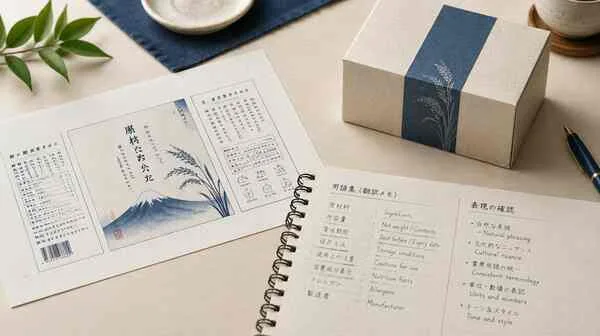
Japanese uses kanji, hiragana and katakana, and a short string can be a personal name, loanword, product label or ordinary phrase. Context is essential when a spreadsheet contains fragments without a screen or paragraph.
Choose the audience and Japanese style
Provide the surrounding interface, audience, approved product spellings and document purpose. Review numerals, punctuation, full-width and half-width characters in the final layout, not only in a text editor.
Check name readings and character width
A familiar-looking loanword is not automatically the correct product term; keep the approved glossary and actual interface terminology aligned.
Why does context matter for a short Japanese label?
The same characters can function differently as a name, loanword or instruction. The language-pair index groups the Japanese notes with other locale-specific reviews.
Set conventions for kana, kanji and product names
For Japanese localization, collect the screen or document context, reader role, approved company and product names, and any established style guide. Determine whether the text is a fixed product string, a support explanation or a formal notice. Names may have approved kana or kanji forms; do not infer those from pronunciation alone. If source strings repeat across an application, record their identifiers to avoid inconsistent updates.
Review punctuation on the final device
A reviewer should check the full interface at its intended width. Kana and kanji choices affect line breaks and scanning rhythm; punctuation and full-width characters may also affect input fields. Test search terms, dates and numerals in the target system, and confirm that content remains selectable and accessible after export.
Example: fit a Japanese label to narrow packaging
In a product setup flow, inspect the Japanese label together with the control it describes. The same phrase may need a short button form and a fuller help explanation. Record both as approved variants rather than letting later edits drift.
Review Japanese copy with its screen context
The same short label can read differently when separated from the interface.
- Provide the screen, user action and character limit for each string.
- Confirm product names, honorific choices and tone with the target audience.
- Check line breaks and glyph rendering on the actual device or browser.
Questions about Japanese translation
Can a name be converted to kana from pronunciation alone?
Not safely; use the person’s or organization’s approved spelling.
Should full-width characters be used everywhere?
Follow the target system and style guide, then verify the rendered interface.
Check a product variant name in context
A Japanese app may use one approved product name in navigation and a shorter label on a button. Record both approved forms and their UI identifiers. Do not let a later campaign writer replace the short label with an unreviewed transliteration. Check that search, error states and help pages use the same concept even if the visible wording differs.
| Interface string | Context needed | Approved variant |
|---|---|---|
| Provide the screen and user action. | Include character limits and neighboring labels. | Record the selected wording and reason. |
Files and context for a Japanese proof
Include screen captures, character limits, approved name spellings, product terminology and the intended audience. Mark each string with its UI location. Ask the product owner whether a name has a fixed kana, kanji or Latin form instead of deriving it from pronunciation. Review both the text file and the rendered experience.
What if a product name has no approved Japanese spelling?
Ask the product owner to approve a form; do not infer the spelling from pronunciation.